Step 1: Click the gear icon in the top right corner of your screen when logged into the web version of your email account and click on Options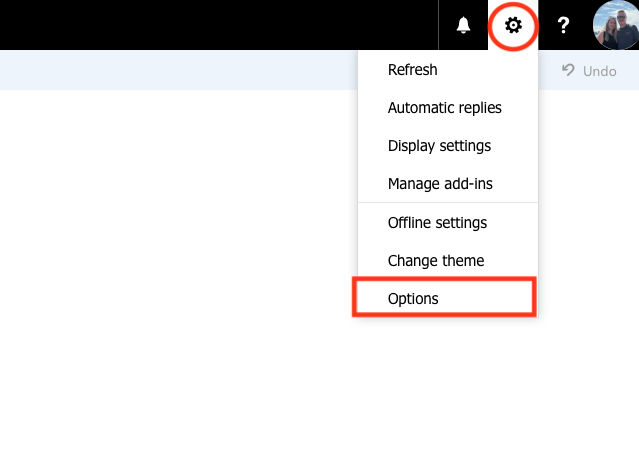
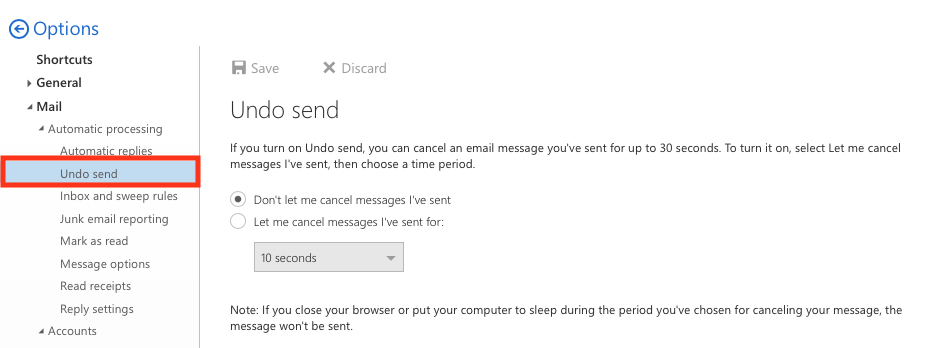
Step 2: Click Undo Send from the menu on the left hand side of your screen
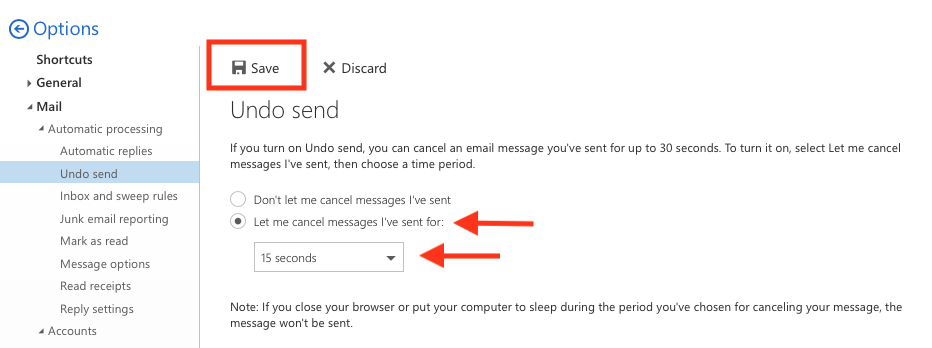
Step 3: Select Let me cancel messages I've sent for, and then select the amount of time you would like before the message is fully sent off to your intended recipient, then click Save