
Step 1: Login to your Exchange account in your web browser, and click on your profile in the top right hadn corner as shown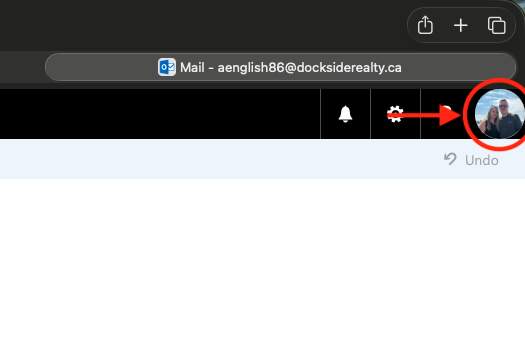
Step 2: Select Open Another Mailbox...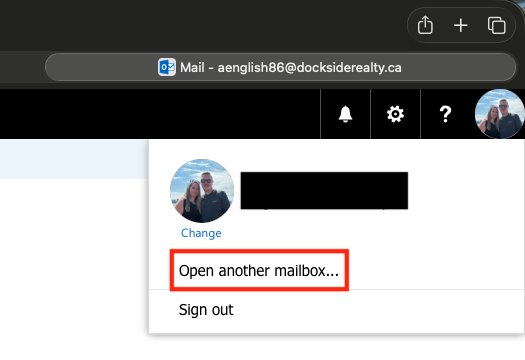
Step 3: Enter the shared mailbox email address in the text box and then click open or press enter. If you make a spelling mistake, the system will bring up a list of similar accounts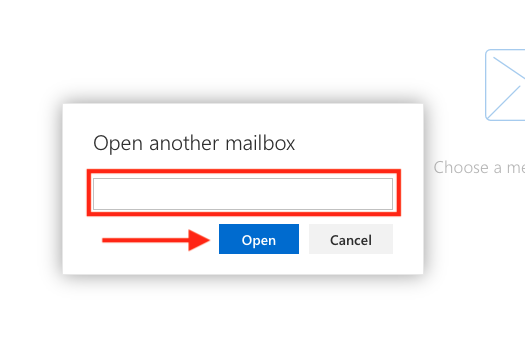
Step 4: Once you confirm the account you want to open, select Open. The shared mailbox will open in a new browser tab/window.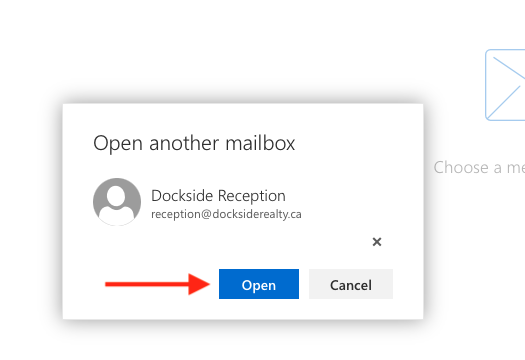
Note: When sending an email address from a shared mailbox, it will be sent as your original personal email address with "On Behalf Of" followed by the shared mailbox name. If the email is replied to, it will land in the shared inbox, not your personal account inbox.