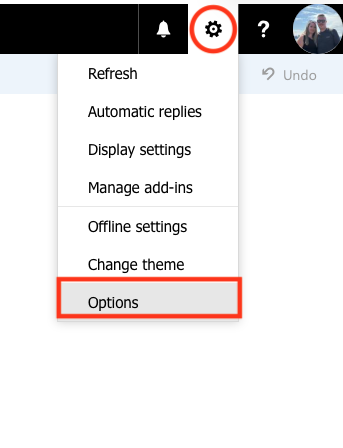
Step 1: Click the gear icon in the top right corner of your screen when logged into the web version of your email account and click on Options
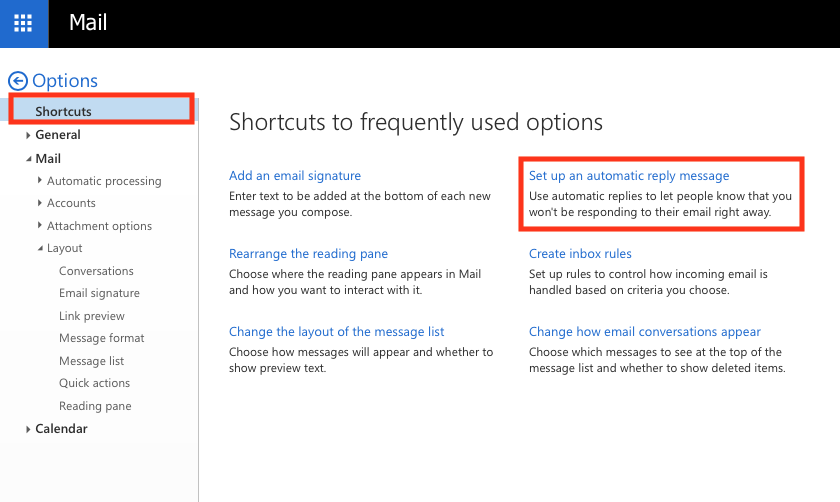
Step 2: Select Shortcuts from the menu on the left hand side of your screen and then click Set Up An Automatic Reply Message
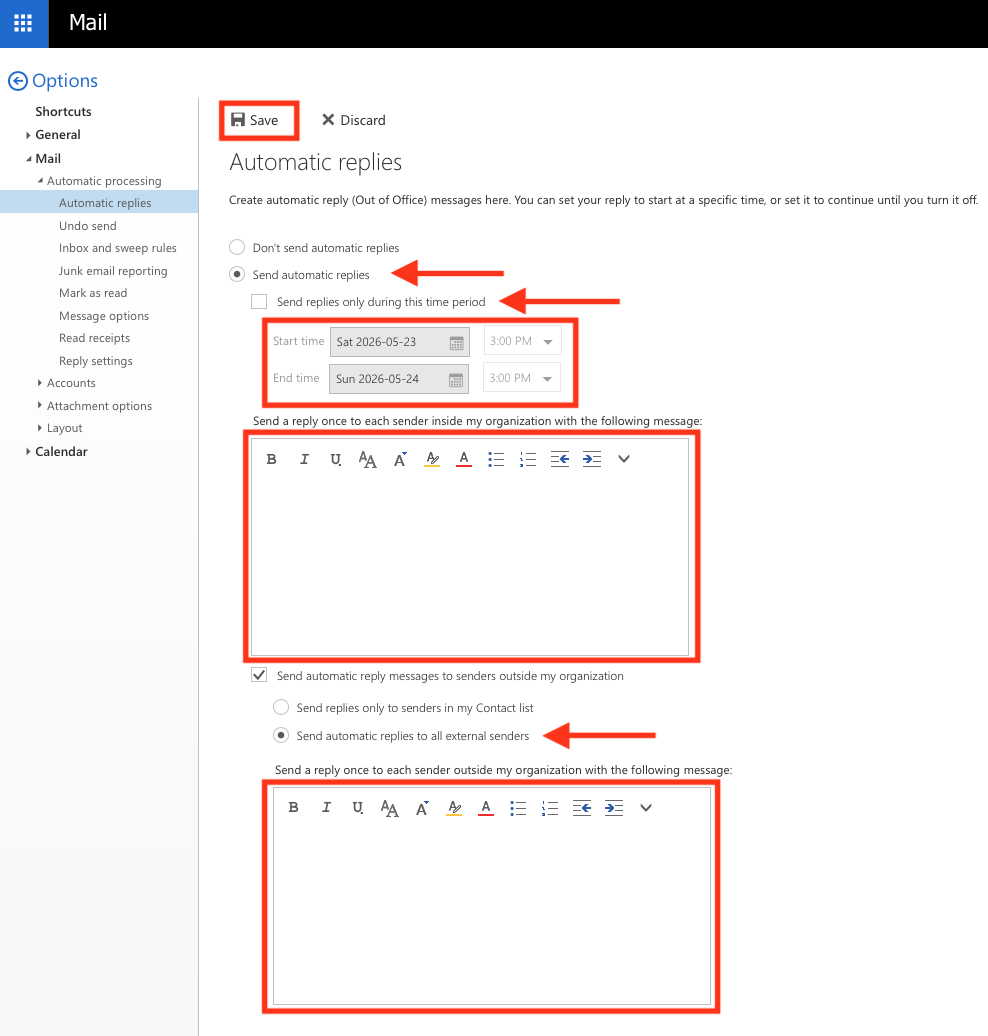
Step 3: Apply the settings as required, and then click Save